Google My Business for Real Estate Brokers: A Step-by-Step Setup Guide
Think about how a property buyer in India starts their search today. Whether they are looking for a spacious 3 BHK in a premium neighborhood or a commercial shop in a bustling market, they don’t flip through newspapers. They pull out their phones and type: ‘best property brokers near me.’
If you don’t show up on that local Google map instantly, you’re invisible to a massive wave of hot buyers. For an independent property consultant, mastering Google My Business isn’t digital homework, it’s your digital storefront — and the best part? It’s completely free!
Want to understand how this fits into a broader strategy? Read our complete guide on how to get property leads from Google My Business.
Let’s skip the confusing tech jargon and look at a practical, human way to set up your profile, pull in serious local inquiries and scale your business without losing your mind.
Why Your Google Profile is Your New Office Front
In the Indian real estate market, trust is everything. Buying a property is a massive, emotional financial decision. Buyers are naturally anxious about unverified titles, hidden legal issues or dealing with unreliable agents.
When someone hears your name via word-of-mouth, the first thing they do is look you up on Google to check your legitimacy. If they find a blank page, doubt sets in. But if they see a verified local profile with your office address, a solid 5-star rating and fresh site photos, your credibility shoots up instantly. It tells local investors that you are a stable, verified professional deeply rooted in the community.
To see how this fits into the full picture of digital marketing strategies for real estate brokers in India, the Google profile is your most powerful free asset.
Step 1: Claim Your Spot and Keep It Clean
Setting up your profile requires absolute accuracy. Any mismatch can confuse Google’s system and hurt your rankings.
- Use Your Real Name: Type your official agency name exactly as it appears on your physical office signage. Avoid stuffing random keywords into your title, as Google can suspend your account for it.
- Pick the Right Category: Set your primary category as Real Estate Agency or Real Estate Consultant. Use secondary categories to add specializations like Commercial Real Estate Agency or Property Management Company.
- Map Your Territory: If you have a walk-in office, enter the exact address with local landmarks. If you are an independent consultant working from home, hide your physical address and define your Service Areas by specific neighborhoods or sectors.
- Verify Immediately: Complete the verification process right away, whether Google asks for a quick video upload, a phone OTP or sends a physical postcard with a PIN to your office. Unverified profiles won’t show up on live maps.
Step 2: Write Like a Local Expert, Not a Robot
Google gives you a dedicated business biography section. Don’t waste it with generic, boring corporate lines. Write a clear, conversational description that tells locals exactly what you do.
And once your bio is set, go to the Services section and break down your daily operations. Don’t just say real estate — add specific listings like Luxury Apartment Sales, Resale Property Documentation or Agricultural Land Consultation. This helps Google match your profile with highly specific buyer searches.
For more proven tips on positioning yourself online, explore our guide on digital marketing strategies for real estate brokers in India.
Step 3: Use Real Photos, Stop Using Fake Stock Images
Real estate is a visual, touch-and-feel business. Indian buyers spot fake, downloaded stock photos of international luxury villas instantly — and it completely kills trust.
Pull out your smartphone and upload real, authentic photos from your daily market routine. Take clear shots of your office entrance and your team so people know who they are meeting. Capture raw, on-the-ground progress photos of local townships, like newly laid internal roads or a sample apartment’s modular kitchen.
Before uploading any image, rename the file using local search terms. For example, instead of naming it IMG_0023.jpg, rename it to rera-approved-plots-bypass-road.jpg. This simple trick injects geographic context straight into Google’s image index.
Step 4: Build a 5-Star Review Engine
A profile with forty genuine, detailed 5-star reviews will effortlessly out-pull a bare profile with zero feedback, even if the bare profile ranks slightly higher on the map. Positive reviews are the modern version of a trusted neighbor’s recommendation.
- The Perfect Timing: Don’t wait three months to ask for feedback. Ask the exact day the deal is finalized — right when the registry documents are signed, the keys are handed over, and your client is happiest.
- Make It Easy: Copy your unique, direct review short-link from your GMB dashboard and text it straight to their WhatsApp. For a complete WhatsApp follow-up system, check out our guide on setting up WhatsApp Business for property enquiries.
- Guide Their Words: Politely ask them to mention what you actually did. When keywords like ‘plots in Indore’ appear in your reviews, your organic ranking gets a massive boost!
Always reply to every single review. Thank the positive ones warmly and if a negative one pops up, handle it like a mature professional.
Once reviews start coming in, you’ll need a system to manage those inquiries efficiently. See our 5 proven WhatsApp scripts to follow up with buyers for ready-to-use templates.
Step 5: Post Weekly Property Updates
Your Google profile isn’t a static page; it functions as an active social feed for your local property business. Turn on the direct messaging toggle inside your dashboard so mobile searchers can click a ‘chat’ button and text your office directly without needing to make a call.
Additionally, use the Updates feature to publish weekly micro-blogs regarding your active inventory. If a new residential layout opens up for booking, publish a quick post like: ‘New RERA-approved plotting project launched near Super Corridor’, ‘Plots starting from 50 Lakhs with individual boundary walls, click Call Now for a private site tour.’ Regular posting signals to Google that your business is alive and active.
When leads start coming in via chat and direct messages, qualifying them quickly is critical. Learn how to qualify property enquiries over phone in 2 minutes.
The Ultimate Reality Check: Moving Beyond Fragmented Chaos
Optimizing your Google My Business profile will absolutely boost your visibility and bring fresh inquiries your way. But as a busy independent broker, a major bottleneck inevitably appears. Managing fragmented client requirements in loose notebooks, tracking messy follow-up schedules and hunting for fresh, verified inventory to pitch can quickly become an overwhelming nightmare.
This is exactly why Brocr was built.
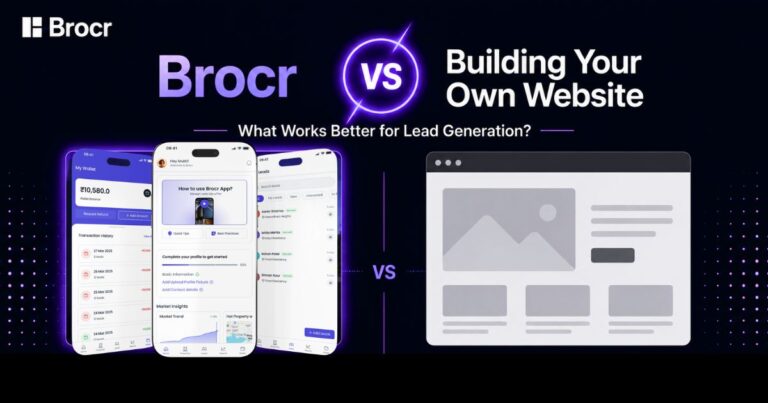
Brocr is an all-in-one mobile operating system created exclusively for small and independent real estate brokers across India. It completely prioritizes you over external buyers and sellers.
The best part? You need absolutely zero technical or digital marketing expertise to use it. For brokers exploring their digital options, check out the best mobile CRM tools for independent real estate agents — Brocr tops the list.
Unlike traditional property portals that drain your money with heavy monthly subscriptions and then share the exact same buyer lead with ten of your local competitors, Brocr operates on a highly flexible, pay-as-you-go model.
You list your properties on the app completely for free. When you want a fresh influx of buyer inquiries, you simply fund your digital app wallet. Within two to three working days, you receive verified, project-specific leads.
Crucially, Brocr guarantees absolute lead exclusivity. Once you unlock a lead, that prospect belongs solely to you. No commission slashing, no undercutting and no stressful competition. This is exactly why exclusive real estate enquiries convert faster.
What if an affluent client walks in through your Google search channels asking for a specific luxury villa configuration that you don’t currently have in your books? Brocr solves this with the revolutionary Open Market feature. It allows you to browse verified public listings uploaded by other trusted brokers on the network. You can instantly pick a matching option, coordinate a joint site visit and close the deal, instantly expanding your portfolio without personally owning the underlying real estate inventory.
With a full-stack, built-in CRM to track your lead history, set automatic follow-up reminders, collaborate with your team and view real-time ROI tracking, Brocr acts as your broker-first growth partner. It solves the unorganized fragmentation of the real estate industry by handling all high-level marketing strategies directly inside the platform itself. Discover why brokers should move away from shared real estate portals and make the switch today.
Ready to claim your market independence?
Stop letting unverified leads and shared portals drain your hard-earned commissions. Head over to Google Play Store, download the Brocr app right now, list your properties for free and experience a platform built entirely to help you scale! For a broader view, explore our complete guide to getting real estate enquiries online.
FAQs about Google My Business Profile
1. I am getting good local traffic on my Google Map listing, but how does the app help me manage these inquiries?
Once you crack how to get property leads from Google My Business, the next headache is tracking them. Instead of letting hot leads rot in loose paper diaries or chaotic WhatsApp chats, you can manually log your map inquiries straight into the platform’s built-in CRM system. You can track the entire journey of each client from their first call down to the final property registration, set automated follow-up reminders and keep your daily pipeline completely organized without switching between multiple messy apps.
2. If I run Google My Business Ads for real estate brokers, do I still need the platform’s lead engine?
Think of them as two different gears for your business. Standard local map ads are great for generic neighborhood visibility, but setting them up requires heavy upfront costs, constant optimization and a steep technical learning curve. You don’t need any digital marketing or technical tech-savviness. The platform’s expert in-house team handles all the high-level advertising strategies, creative copywriting and targeting across multiple digital networks for you. You simply fund your digital app wallet and fresh, 100% exclusive buyer leads show up inside your dashboard within two to three working days.
3. What if a buyer finds me via local search maps but wants a configuration I don’t personally have in my inventory?
This is exactly where traditional brokers lose massive commissions to corporate aggregators. You can use the revolutionary Open Market feature to save the deal. If a premium buyer walks into your office via a local search but wants a specific 3 BHK that isn’t on your books, you can instantly browse verified public listings uploaded by other trusted local agents on the network. You can pick a matching layout, organize a joint site visit and close the transaction smoothly. Read more: what to do when a client asks for properties you don’t have.
4. How does the pay-as-you-go wallet model differ from standard property portal subscriptions?
Old-school consumer portals trap you into expensive, rigid annual packages and then sell the exact same buyer lead to ten of your direct competitors, triggering toxic price wars. The platform flips this model entirely by putting the broker first. Listing your properties on the application is completely free, with zero subscription barriers. You only spend money from your digital wallet to unlock verified, project-specific leads that are 100% exclusive to you. Once you unlock a lead, that prospect belongs solely to you — guaranteeing zero undercutting and maximum conversion rates. Learn why brokers should move away from shared real estate portals.

Project Manager & Real Estate Growth Strategist at Brocr
Shivam bridges the gap between complex technology and daily real estate needs. As the Project Manager at Brocr, he turns broker feedback into powerful, easy-to-use digital tools.